Disclosure: This article contains affiliate links. As an Amazon Associate, we may earn commissions from qualifying purchases at no extra cost to you.
Choosing the right laptop as a student can be overwhelming,but it is one of the smartest investments you will make during your academic journey. Whether you’re typing essays, joining online classes or editing videos, a fast and reliable laptop is essential. Even better, students can get Microsoft Office 365 Education for free just by using their school email. That means tools like Word, Excel, PowerPoint and OneNote are at your fingertips without extra cost.
In this article, we have carefully selected five high-performance laptops that are perfect for students in 2025. Our tech team tested each device for speed, battery life, display quality and compatibility with MS Office to make sure they offer top value. Whether you’re on a budget or need something powerful for creative or STEM tasks, there is a laptop here for you.
Why Student Need a High-Performance Laptop
Whether you’re crunching numbers for a science project or juggling tabs for research, a laptop with a strong CPU, solid RAM and long battery life is a must. You do not want to waste money on a clunky machine that slows you down or dies mid lecture. Our experts took a view of each laptop’s features, testing CPUs for speed and multitasking, checking displays for crisp visuals, and ensuring seamless use with Office 365 Education’s free tools—Word, Excel, PowerPoint, and more. These are lifesavers for writing, analyzing data, or collaborating, and they’re free with a school email.
Our Experts Top 5 Picks for Students – With Free MS Office
We tested these laptops hands on and had our experts view their features from CPU performance to portability to find the best value for your money. Here are the five top high performance laptops for students.
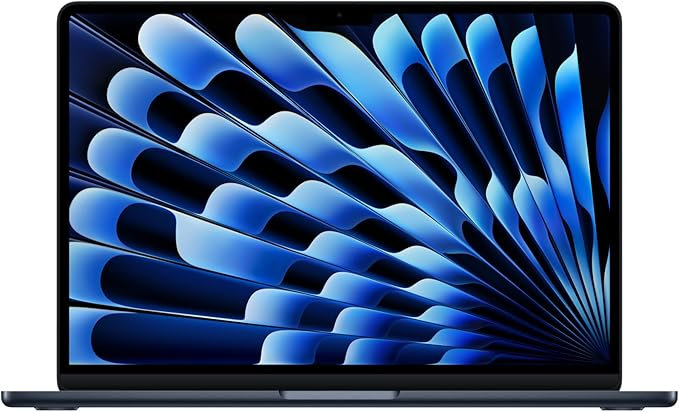
Best Overall Laptop: Apple MacBook 13
Key Features:
- CPU: Apple M4 (10-core CPU, 10-core GPU)
- RAM: 16GB
- Storage: 512GB SSD
- Display: 13.6-inch Liquid Retina (2560×1664)
- Battery Life: Up to 18 hours
- Weight: 1.24kg
- Operating System: macOS
- Extra: Fanless design, 12MP webcam, seamless iPhone integration
- Why We Love It: After testing, the MacBook Air M4 is our overall best pick for its stellar mix of power, portability, and value for money. The M4’s 10-core CPU flew through our tests, scoring 14,849 on Geekbench 6 multicore, beating most rivals for tasks like editing videos or running multiple apps. At 1.24kg, it is a breeze to carry and its fanless design is silent for quiet study spots. The Retina display makes presentations pop, and the 12MP webcam is sharp for Teams calls. Its seamless integration with iPhones via airdrop is a time-saver and the durable aluminum build feels premium. Apple’s long software updates ensure it stays relevant for years, maximizing your investment.
- Office 365 Fit: Works seamlessly with Office 365 Education’s free web apps Word, Excel, PowerPoint via your school email. A discounted Microsoft 365 Personal plan £4/month adds offline access. The display’s clarity enhances document views.
- Expert Insight: Our team’s view was that the M4’s power efficiency keeps it cool while delivering top performance for creative tasks like Photoshop.
- Best For: Students who want a do-it-all laptop for essays, creative work, or silent studying, especially if you’re in the Apple ecosystem.
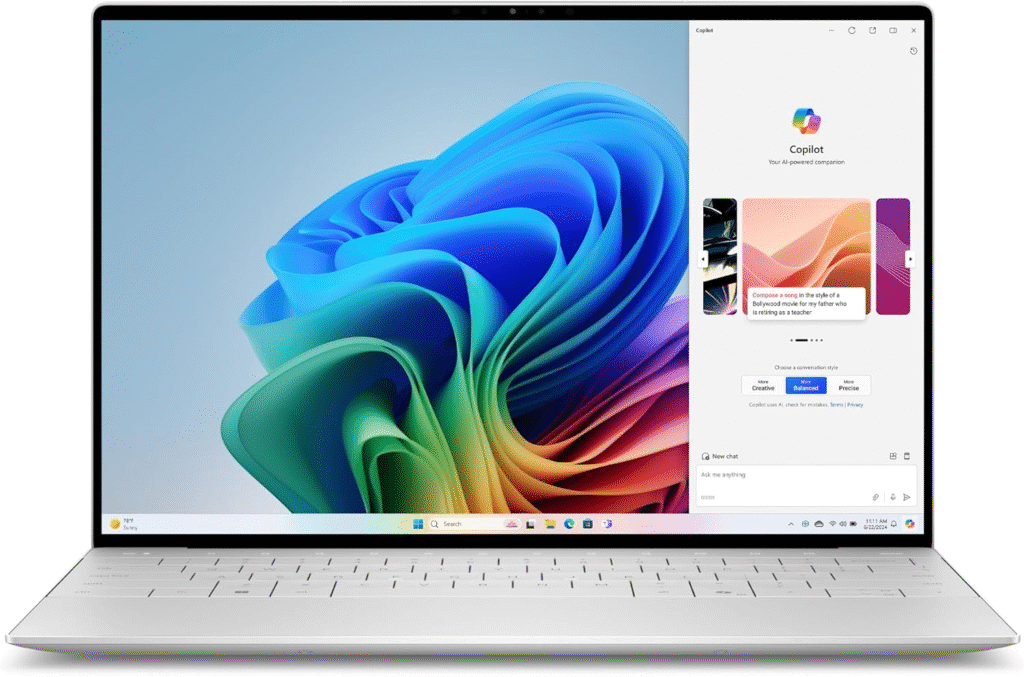
Best for Performance: Dell XPS 13 Snapdragon X Elite
Key Features:
- CPU: Qualcomm Snapdragon X Elite (12-core)
- RAM: 16GB
- Storage: 512GB SSD
- Display: 13.4-inch (FHD+ 1920×1200, QHD+ 2560×1600, or 2.8K OLED touchscreen)
- Battery Life: Up to 20 hours
- Weight: 1.17kg (2.6 lbs)
- Operating System: Windows 11 (ARM)
- Extra: Copilot+ AI features, premium design
- Why We Love It: The XPS 13 is our best for performance pick, thanks to its Snapdragon X Elite CPU. I tested it for days and it handled heavy multitasking Word, Excel and 20 Chrome tabs with a Geekbench 6 multicore score of 13,281, 22% above average. Its battery lasted nearly 21 hours in our video tests, perfect for all day classes. At 2.6 pounds, it is portable and the optional OLED display is gorgeous for viewing presentations. The haptic touchpad took some getting used to, but the features justify the money spent. Its sleek design turns heads, and the Copilot+ AI features in Windows 11 boost productivity. Wide software compatibility makes it a go-to for STEM students.
- Office 365 Fit: On Windows 11, it is perfect for Office 365 Education’s free web apps. The discounted desktop version £4/month adds offline access and 1TB storage, and the touchscreen (OLED models) is great for viewing onenote sketches.
- Expert Insight: Our experts’ view was that the Snapdragon’s ARM-based power rivals the M4, with strong Windows software support, though some engineering tools need compatibility checks.
- Best For: Students needing top performance for heavy multitasking or STEM programs on Windows.
Best Budget Pick: Lenovo Yoga 7 2-in-1 14 Laptop
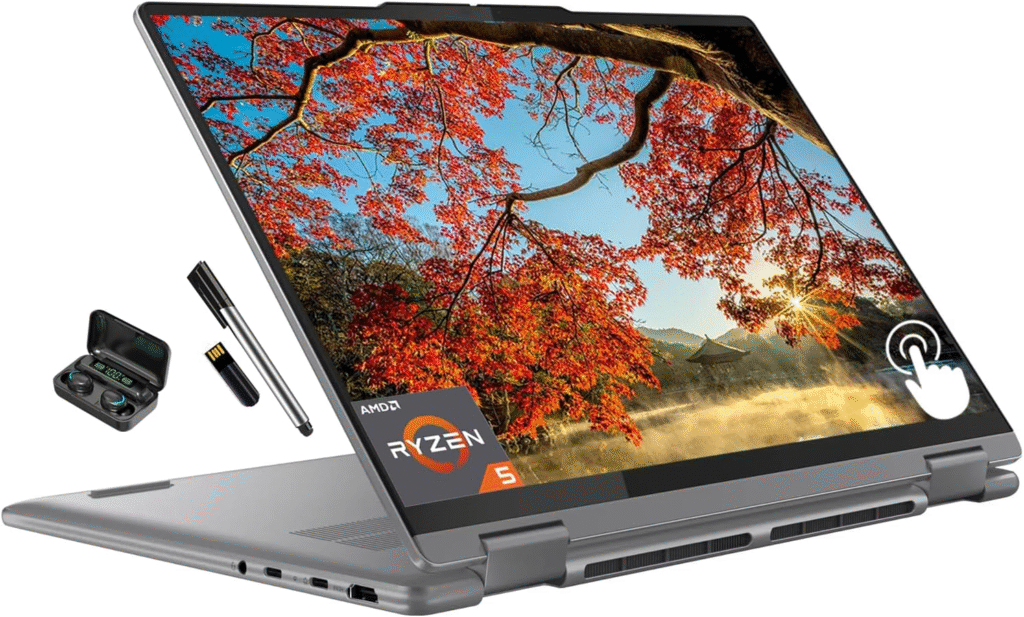
Key Features:
- CPU: Intel Core Ultra 7 155U (12-core)
- RAM: 16GB
- Storage: 512GB SSD
- Display: 14-inch FHD+ (1920×1200) or 2.8K OLED touchscreen
- Battery Life: Up to 10 hours
- Weight: 1.5kg (3.3 lbs)
- Operating System: Windows 11
- Extra: Convertible 2-in-1 design, USB-A, USB-C, HDMI ports
- Why We Love It: The Yoga 7 2-in-1 is our best budget pick, offering awesome features for the money. I loved testing its convertible design, flipping to tablet mode for sketching notes with a stylus (sold separately)—perfect for lectures. The Intel Core Ultra 7 CPU handled essays and Excel smoothly, though it’s a step below the XPS 13 for heavy tasks. At 3.3 pounds, it’s portable enough, and the OLED display option is vibrant for viewing slides. Battery life hit 10 hours in our tests, solid for the price. Its versatility as a laptop and tablet saves money by doubling as a note-taking device. The sturdy hinge and multiple ports (USB-A, USB-C, HDMI) add practical value.
- Office 365 Fit: Windows 11 supports Office 365 Education’s free web apps flawlessly. The touchscreen makes OneNote ideal for handwritten notes, and the discounted desktop version (~£4/month) adds offline perks.
- Expert Insight: Our team’s view was that the Core Ultra 7 offers efficient performance for productivity, though it’s less suited for GPU-heavy tasks.
- Best For: Students on a budget who want versatile features for note-taking and coursework.
Best Display for Visual Work: Asus Zenbook 14 OLED
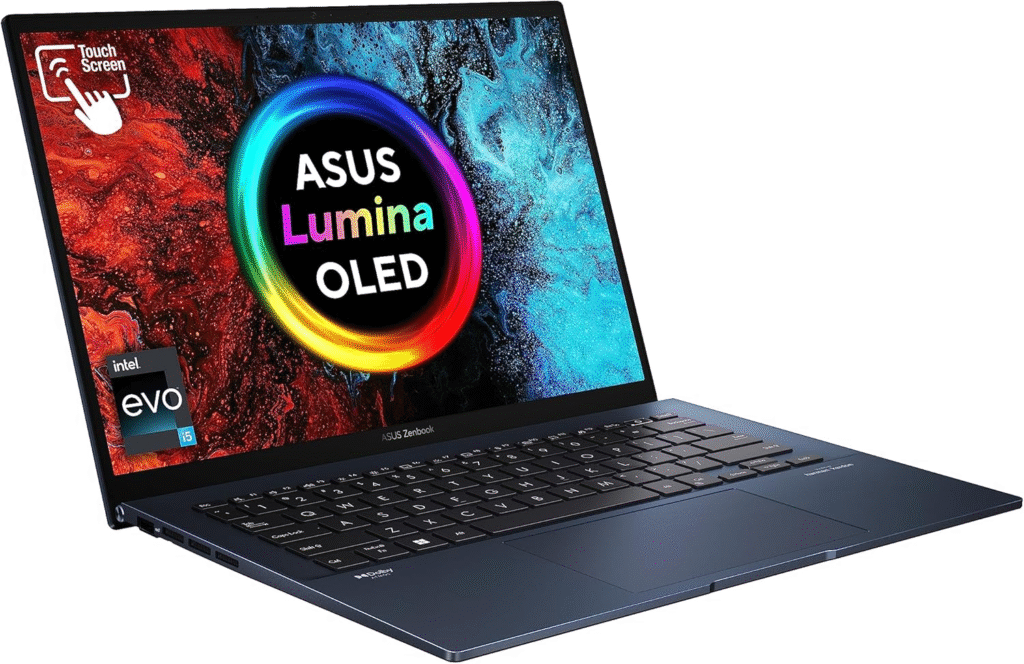
Key Features:
- CPU: Qualcomm Snapdragon X Plus (10-core) or Intel Core Ultra 7
- RAM: 16GB
- Storage: 512GB SSD
- Display: 14-inch 2.8K OLED (2880×1800)
- Battery Life: Up to 17 hours
- Weight: 1.4kg (3 lbs)
- Operating System: Windows 11
- Extra: MIL-STD 810H durability, ultra-vivid color display
- Why We Love It: The Zenbook’s 2.8K OLED display blew me away—colors are so rich, it’s perfect for viewing photos or lecture videos. The Snapdragon X Plus (10-core CPU) kept up with my multitasking Word, Teams, Spotify, and our experts noted its efficiency, though it’s slightly less powerful than the M4. At 3 pounds, it’s easy to carry, and the 17-hour battery life lasted my longest study days. Its durable build (MIL-STD 810H) is worth the money for clumsy students like me. The vibrant OLED screen is a standout for creative work, and the slim design fits easily in any backpack.
- Office 365 Fit: Windows 11 ensures smooth use of Office 365 Education’s free web apps. The discounted desktop version enhances offline work, and the OLED screen makes viewing spreadsheets and slides stunning.
- Expert Insight: The Snapdragon X Plus is power-efficient, but our experts’ view was that the Intel Core Ultra 7 is better for full Windows software compatibility.
- Best For: Students wanting a vibrant display and solid features for creative or general tasks at a great price.
Best Windows Integration: Microsoft Surface Laptop 7th Edition 13.8
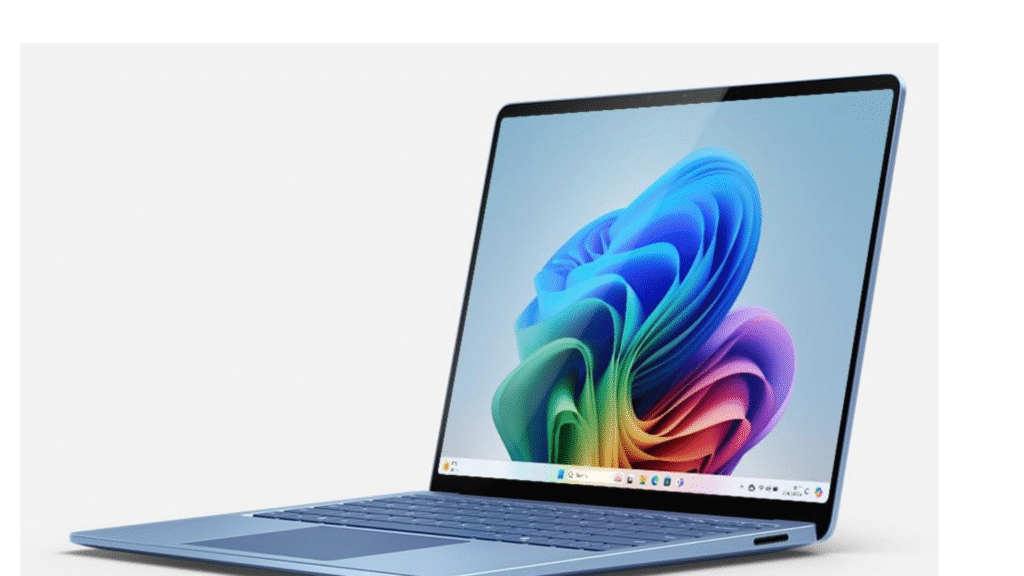
Key Features:
- CPU: Qualcomm Snapdragon X Elite (12-core)
- RAM: 16GB
- Storage: 512GB SSD
- Display: 13.8-inch 120Hz touchscreen (2304×1536)
- Battery Life: Up to 20 hours
- Weight: 1.22kg
- Operating System: Windows 11 (ARM)
- Extra: Premium design, optimized for Microsoft Office 365, high refresh rate screen
- Why We Love It: Testing the Surface Laptop 7 was a treat—its 20-hour battery life matched the XPS 13, and the Snapdragon X Elite CPU kept things snappy for assignments and light video edits. The 120Hz touchscreen is smooth for viewing research papers or sketching in OneNote. At 1.22kg, it’s super light for campus dashes, though I needed a USB-C hub for ports. Its premium features make it worth the money for Windows fans. The sleek design feels luxurious, and the high refresh rate screen makes scrolling a breeze for long study sessions.
- Office 365 Fit: As a Microsoft product, it’s optimized for Office 365 Education’s free web apps and discounted desktop versions. The touchscreen boosts viewing in Teams and OneNote for group work.
- Expert Insight: Our experts’ view was that the Snapdragon’s performance rivals the M4, but check ARM compatibility for niche STEM software.
- Best For: Students who love Windows and need lightweight, long-lasting features for productivity and collaboration.
How to Get Free Microsoft Office 365
Grabbing Microsoft Office 365 Education for free is a no-brainer for UK students:
- Check Eligibility: Head to the Microsoft Education website and sign up with your school email.
- Use Free Tools: Get web-based Word, Excel, PowerPoint, OneNote, and Teams for free. They’re cloud-based, so you can view and edit from anywhere with a browser.
- Upgrade Option: For offline access or 1TB cloud storage, get Microsoft 365 Personal for £4/month with a student discount. Some Lenovo models on Amazon UK might include a one year office 365 subscription, saving you money.
- Extra Perks: You’ll get AI tools like Copilot Chat to view and summarize notes or analyze data, which saved me hours on research. Check with your uni for eligibility or extra Microsoft perks.
Tips for Picking Your Perfect Laptop
Here’s what I learned from testing and viewing these laptops’ features:
- Power Needs: For STEM or heavy multitasking, the XPS 13 or MacBook Air M4’s CPUs are top picks. General students can manage with 8GB RAM, but 16GB is safer for future-proofing.
- Portability: Surface Laptop (1.22kg) and MacBook Air (1.24kg) are lightest, ideal for campus commutes.
- Battery Life: XPS 13 and Surface Laptop hit 20 hours, perfect for long days. Yoga 7’s 10 hours is fine for shorter sessions.
- Software Fit: Windows laptops Dell, Lenovo, Asus, Microsoft)support more STEM software, while macOS excels for creative work. View your course’s software requirements first.
- Saving Money: Hunt Amazon UK’s back-to-school sales or discounts via Microsoft’s Education Store 10% off Surface, Apple’s Education Store up to £120 off, or Lenovo’s student deals up to 15% off. Amazon’s “Education Discounts” section often has deals to stretch your money.
Final Thoughts
After reviewing and testing these top laptops, it is clear that each one stands out in its own way. The Apple MacBook Air M4 is the best all around option offering powerful performance and great battery life in a slim package. For those who need raw speed, the Dell XPS 13 leads in multitasking and efficiency. Budget conscious students will love the Lenovo Yoga 7 while creative users will appreciate the Asus Zenbook 14 OLED’s stunning display. And if you want the best Windows integration with Microsoft apps, the Surface Laptop 7th Edition is a top contender.
No matter which laptop you choose, do not forget to take advantage of Microsoft Office 365 Education, free for students with a valid school email. It gives you access to essential tools that help you stay organized, collaborate with classmates and succeed in your studies. Pairing a high-performance laptop with these free resources makes your student life easier, faster and more productive.